Best Graphic Design Software
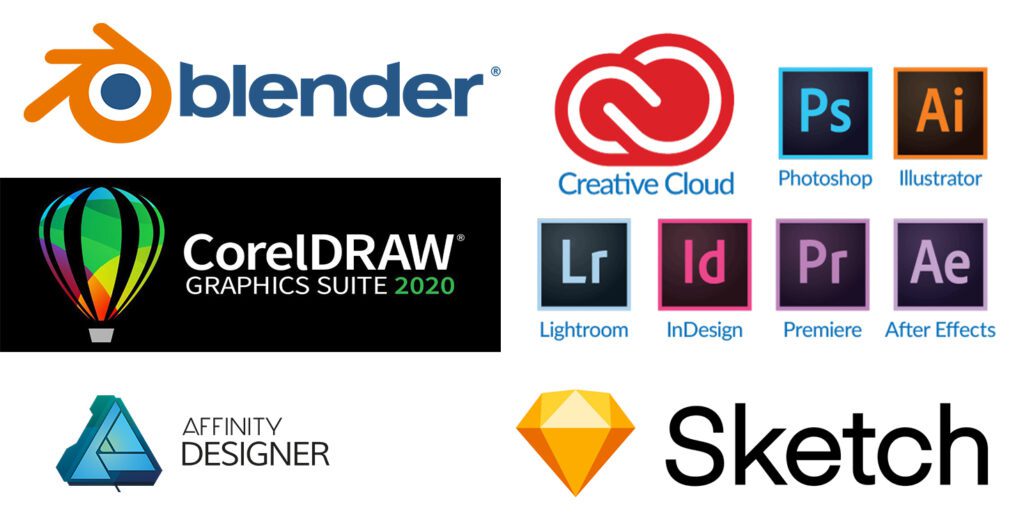
The digital age has transformed graphic design, making it more accessible and versatile than ever before. Behind every visually stunning creation lies a powerful set of tools – the best graphic design software. From creating logos and marketing materials to digital illustrations and website designs, the right software is the linchpin that transforms concepts into compelling visuals. In this exploration, we embark on a journey through the diverse landscape of graphic design software, uncovering the best and most influential players in the industry.
Key Highlights & Fast Facts
- Industry Standards: Adobe Creative Cloud (Photoshop, Illustrator, InDesign) remains the gold standard for professionals.
- Cost-Effective Alternatives: Affinity Designer and CorelDRAW offer powerful, professional-grade tools without a subscription model.
- UI/UX Focus: Specialized tools like Sketch and Adobe XD streamline digital product design.
- 3D & Motion: Blender and Adobe After Effects bring depth and motion to modern design projects.
Before committing to an expensive software ecosystem, evaluate your primary project goals. If you focus heavily on print and vector assets, vector-first software like Illustrator or Affinity Designer will serve you better than photo editors.
Adobe Creative Cloud Suite: The Design Powerhouse
Adobe Photoshop: Mastering Digital Imaging
Photoshop stands as an undisputed giant in the realm of digital imaging. With an extensive set of tools for photo editing, compositing, and digital painting, Photoshop is the go-to software for professionals. Features like layers, masks, and a plethora of filters offer unparalleled flexibility.
Adobe Illustrator: Vector Artistry At Its Finest
Illustrator is the quintessential vector graphics editor, allowing designers to create scalable and resolution-independent artwork. Ideal for logo design, illustrations, and typography, Illustrator’s precision and versatility make it an indispensable tool for designers across various industries.
Adobe InDesign: Layouts And Publishing Perfected
InDesign specializes in layout design and desktop publishing. Whether crafting print publications, interactive PDFs, or digital magazines, InDesign streamlines the process with powerful layout tools, precise typography controls, and seamless integration with other Adobe applications.
Adobe XD: Prototyping For User Experiences
As the demand for user-centric design grows, Adobe XD steps into the spotlight. This prototyping tool facilitates the creation of interactive prototypes for websites and mobile apps. It streamlines the design-to-prototype workflow, enabling designers to iterate and refine user experiences seamlessly.
Adobe After Effects: Bringing Designs To Life
When static visuals are not enough, After Effects steps in to add motion and dynamism. Widely used in video production and motion graphics, After Effects empowers designers to create captivating animations, visual effects, and multimedia presentations.
CorelDRAW Graphics Suite: A Robust Alternative
CorelDRAW: Comprehensive Vector Design
CorelDRAW offers a powerful alternative to Adobe Illustrator, catering to vector illustration and page layout needs. With an intuitive interface and an array of tools, CorelDRAW is favored by many designers, particularly in industries like print and signage.
Corel PHOTO-PAINT: Advanced Photo Editing
Corel’s answer to Photoshop, PHOTO-PAINT is a robust photo editing tool. Its comprehensive set of features includes non-destructive editing, RAW image support, and a variety of filters for creative enhancements.
CorelDRAW.app: On-The-Go Design
To meet the demands of a mobile world, CorelDRAW.app extends the suite’s capabilities to the web. This cloud-based application allows users to create, access, and edit designs from any device with internet connectivity.
CorelDRAW Technical Suite: Precision In Technical Illustration
Targeting technical illustrators and documentation professionals, CorelDRAW Technical Suite brings precision to the forefront. Advanced tools for technical illustration, 3D visualization, and diagramming make it a valuable asset in industries like engineering and manufacturing.
Affinity Designer: A New Challenger On The Block
Affinity Designer: A Vector Powerhouse
Affinity Designer has garnered attention as a cost-effective alternative to Adobe Illustrator. Packed with professional-grade vector tools, Affinity Designer offers speed, precision, and a streamlined interface for both Windows and Mac users.
Affinity Photo: Photo Editing Unleashed
For photographers and digital artists seeking an alternative to Photoshop, Affinity Photo steps in with advanced photo editing capabilities. Non-destructive editing, layer styles, and a dedicated workspace for retouching contribute to its popularity.
Affinity Publisher: Precision In Publishing
Completing the Affinity suite, Publisher focuses on layout design and desktop publishing. With an emphasis on creative freedom and precision typesetting, Affinity Publisher competes with established players like Adobe InDesign.
Sketch: Streamlining UI/UX Design
Sketch: Designing For The Digital Experience
Sketch has become a cornerstone in the toolkit of UI/UX designers. With a laser focus on digital design, especially for interfaces and user experiences, Sketch offers an intuitive environment for wireframing, prototyping, and collaborating on design projects.
Craft by InVision: Enhancing The Sketch Experience
While not a standalone design software, Craft by InVision is a suite of plugins that seamlessly integrates with Sketch. Craft enhances the design process with features like prototyping, data syncing, and real-time collaboration, elevating Sketch’s capabilities.
Blender: 3D Design And Animation Mastery
Blender: A Complete 3D Creation Suite
Stepping into the realm of 3D design and animation, Blender stands out as a powerful open-source alternative. From modeling and sculpting to animation and rendering, Blender’s comprehensive feature set caters to artists, animators, and game developers alike.
Grease Pencil: 2D Animation In Blender
An integral part of Blender, Grease Pencil is a unique tool for 2D animation. Combining traditional drawing with 3D modeling capabilities, Grease Pencil opens up new avenues for artists exploring animation within a 3D environment.
Gravit Designer: Intuitive Vector Design
Gravit Designer: Simplifying Vector Design
Gravit Designer is a web-based vector design tool that offers a lightweight yet powerful alternative. With a focus on simplicity and accessibility, Gravit Designer is suitable for beginners and professionals alike, allowing users to create vector designs in the browser.
| Software Suite | Primary Specialty | Platform Compatibility |
|---|---|---|
| Adobe Creative Cloud | All-in-one professional design & publishing | Windows, macOS, Mobile |
| CorelDRAW Graphics Suite | Vector illustration & technical design | Windows, macOS, Web |
| Affinity Suite | Cost-effective professional vector & photo editing | Windows, macOS, iPad |
| Sketch | UI/UX wireframing & interface design | macOS |
| Blender | 3D modeling, rendering & animation | Windows, macOS, Linux |
Conclusion
The world of graphic design software is rich and diverse, offering a spectrum of tools tailored to different needs and preferences. Whether you’re a seasoned professional or a budding designer, the choice of software plays a pivotal role in shaping your creative journey. From the Adobe Creative Cloud suite’s industry dominance to emerging alternatives like Affinity Designer and Gravit Designer, each software brings its unique strengths to the table.
Ultimately, the best graphic design software is the one that aligns with your workflow, unleashes your creativity, and empowers you to turn ideas into captivating visuals. As technology continues to advance, the graphic design landscape will undoubtedly evolve, and new contenders may emerge. The key is to stay curious, experiment with different tools, and find the software that resonates with your artistic vision.
What is the best graphic design software for beginners?
Beginners often benefit from lightweight, web-based tools like Gravit Designer or more intuitive alternatives like Canva and Affinity Designer, which offer robust capabilities without a steep learning curve.
Is Adobe Photoshop better than Affinity Photo?
Photoshop remains the industry standard with the most advanced plugins and neural filters, but Affinity Photo offers incredible professional-grade photo editing performance at a one-time purchase price.
What software should I use for UI/UX design?
Sketch, Adobe XD, and Figma are the leading industry choices for digital interface design, wireframing, and interactive prototyping.