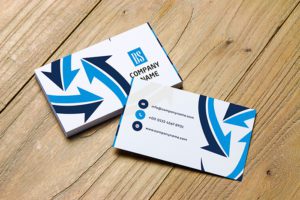
Business Proposal Flyer Design
 VECTOR SOURCE
Asset Overview & Description
How do you create a winning flyer design?
Introduction: In Today’s Competitive Business Environment A Well-Crafted Business Proposal Flye r Can Serve As A Powerful Tool To Showcase Your Company’s Offerings Communicate Your Value Proposition And Win Over Potential Clients. An Effective Flyer Design Not Only Captures Attention But Also Persuades Recipients To Take Action. In This Guide We’ll Explore Key Strategies And Best Practices For Creating A Compelling Business Proposal Flyer Design That Impresses Clients And Drives Business Growth.
Key Highlights & Fast Facts
- Define your target audience and objectives clearly before starting the flyer design process.
- Configure print projects at 300 DPI with a standard 0.125-inch bleed area.
- Use the CMYK color profile for physical print production and sRGB for digital campaigns.
- Include a clear and compelling call-to-action to motivate recipients to engage further.
How do you understand your target audience?
Before Delving Into The Design Process It’s Crucial To Understand Your Target Audience And Define Your Objectives Clearly. Consider The Following Questions: Who Is Your Target Audience? What Are Their Needs Preferences And Pain Points? What Specific Message Or Offering Do You Want To Convey Through Your Business Proposal Flyer? What Action Do You Want Your Audience To Take After Reviewing The Flyer? (E.G. Schedule A Meeting Request More Information Sign A Contract) Understanding Your Audience And Objectives Will Guide The Content Tone And Design Elements Of Your Business Proposal Flyer.
What is your value proposition?
Your Business Proposal Flyer Should Clearly Communicate The Unique Value Proposition Of Your Products Or Services. Consider The Following Strategies: Use A Compelling Headline Or Tagline That Succinctly Captures The Essence Of Your Value Proposition. Clearly Articulate The Benefits And Advantages Of Choosing Your Company Over Competitors. Highlight Any Distinctive Features Innovations Or Solutions That Set Your Offerings Apart In The Market. Incorporate Persuasive Language And Visual Elements That Reinforce The Value You Offer To Clients. A Clear And Compelling Value Proposition Helps Capture The Attention Of Your Audience And Differentiates Your Business From Competitors.
How do you showcase your expertise?
Establish Credibility And Build Trust With Potential Clients By Showcasing Your Company’s Expertise Experience And Credentials. Consider The Following Approaches: Highlight Key Achievements Awards Certifications Or Industry Affiliations That Demonstrate Your Company’s Credibility And Competence. Showcase Case Studies Success Stories Or Client Testimonials That Illustrate The Positive Outcomes And Results Achieved For Previous Clients. Include Brief Bios Or Profiles Of Key Team Members To Highlight Their Expertise And Qualifications. By Showcasing Your Expertise And Credentials You Reassure Potential Clients Of Your Capability To Deliver High-Quality Solutions.
Embrace Visual Appeal And Consistency:
The Visual Design Of Your Business Proposal Flyer Plays A Significant Role In Capturing Attention And Conveying Professionalism. Consider The Following Design Principles: Choose A Cohesive Color Palette That Aligns With Your Brand Identity And Evokes The Desired Emotions Or Associations. Incorporate High-Quality Images Graphics Or Illustrations That Complement Your Message And Resonate With Your Target Audience. Use Clear And Legible Typography That Enhances Readability And Reinforces Your Brand’s Visual Identity. Maintain Consistency In Design Elements Such As Logos Fonts And Imagery Throughout The Flyer. A Visually Appealing And Consistent Design Enhances The Overall Impact Of Your Business Proposal Flyer And Reinforces Your Brand Identity.
Keep The Content Clear And Concise:
In A Business Proposal Flyer Clarity And Brevity Are Key. Keep The Content Focused And Easily Digestible By Following These Guidelines: Use Concise Language And Bullet Points To Convey Key Information And Benefits Effectively. Organize Content Logically With Sections For Key Offerings Features Benefits And Contact Information. Avoid Overwhelming The Reader With Excessive Technical Jargon Or Unnecessary Details. Provide Clear And Specific Calls-To-Action That Guide Recipients On The Next Steps To Take. By Keeping The Content Clear And Concise You Ensure That Your Message Resonates With The Audience And Prompts Action.
Include A Compelling Call-To-Action:
Every Effective Business Proposal Flyer Should Include A Clear And Compelling Call-To-Action That Motivates Recipients To Engage Further With Your Company. Consider The Following Tips: Clearly Articulate The Desired Action You Want Recipients To Take Whether It’s Contacting Your Sales Team Scheduling A Consultation Or Visiting Your Website. Use Persuasive Language And Urgency-Inducing Phrases To Encourage Immediate Action. Provide Multiple Contact Options Such As Phone Numbers Email Addresses And Website Urls To Accommodate Different Preferences. Consider Offering A Special Incentive Or Limited-Time Offer To Incentivize Response And Engagement. A Strong Call-To-Action Guides Recipients Towards The Desired Outcome And Facilitates Conversion Opportunities.
Advanced Vector Preparation and Print Technical Guidelines
When preparing your flyer design for commercial printing or digital distribution, adhering to professional vector standards is essential. Utilizing vector-based graphic tools ensures that your typography, geometric shapes, and logos scale infinitely without pixelation.
- Resolution and Bleed: Always configure your artboards at 300 DPI for print projects. Include a standard 0.125-inch (3mm) bleed area around all outer edges to prevent unprinted white borders during trimming.
- Color Spaces: Design your layouts using the CMYK color profile for physical print production to ensure color fidelity between your monitor and the final paper output. Switch to sRGB only when exporting your free templates for digital campaigns, email attachments, or landing page downloads.
- Layer Organization: Maintain a clean layer hierarchy in vector software like Adobe Illustrator or Inkscape. Separate background graphics, typography layers, vector shapes, and crop marks into distinct, locked layers for seamless editing by print operators.
Optimizing Flyer Design for Modern Multi-Channel Marketing
A successful flyer design does not exist in isolation; it functions as a core bridge between offline engagement and digital conversion. Integrating modern marketing assets into your layout maximizes return on investment:
- QR Code Integration: Place a high-contrast QR code near your call-to-action section. Link it directly to a mobile-optimized scheduling page, an exclusive downloadable asset, or a custom landing page to track physical conversion rates accurately.
- Typography Pairings: Combine a strong, authoritative sans-serif headline font (such as Montserrat or Helvetica) with a clean, highly readable serif or neutral body font (such as Open Sans or Merriweather) to guide the reader’s eye naturally through your proposal points.
- White Space Mastery: Avoid cluttering every square millimeter of your canvas. Strategic white (negative) space allows critical value propositions and contact numbers to stand out instantly when prospective clients glance at your marketing collateral.
Technical Specifications for Professional Layouts
| Parameter | Print Standard | Digital / Social Standard |
|---|---|---|
| Color Mode | CMYK (Cyan, Magenta, Yellow, Key) | sRGB |
| Resolution | 300 DPI (Dots Per Inch) | 72 DPI to 150 DPI |
| File Formats | PDF/X-1a, EPS, High-Res Vector PDF | PNG, JPEG, Interactive PDF |
| Safe Zone | 0.25 inches inward from trim edge | 10px padding from screen boundary |
Step-by-Step Customization Guide
- Select a Template: Browse GD Graphic’s collection of free templates to find a layout matching your corporate identity and proposal structure.
- Import Brand Elements: Open the vector file in your preferred design software (Illustrator, Figma, or CorelDraw), and replace placeholder logos with your official brand vector assets.
- Refine Content Blocks: Update the headline with your core value proposition, insert short bullet points detailing your professional services, and adjust text frame bounds.
- Export and Review: Run a preflight checklist to ensure all fonts are outlined, images are embedded or linked correctly, and your export settings match your intended distribution channel.
Frequently Asked Questions
What software is best for editing GD Graphic templates?
Our vector templates are fully compatible with industry-standard design tools including Adobe Illustrator, CorelDraw, Figma, and Inkscape, allowing for effortless customization of colors, text, and layouts.
Should I use CMYK or RGB when exporting my flyer design?
Use CMYK color modes for any project destined for professional offset or digital printing presses. Use RGB for flyers distributed exclusively through email newsletters, social media, or digital portfolio websites.
Are the business proposal flyer templates free for commercial use?
Yes, all resources provided on our platform are free to download and customize for both personal and commercial business marketing projects without requiring complex attribution.
How can I make my flyer design stand out in a crowded market?
Focus on a clean layout with generous white space, a powerful headline articulating a specific client benefit, high-contrast imagery, and an unmissable call-to-action paired with a functional QR code.
Conclusion: Crafting A Winning Business Proposal Flyer Requires Strategic Planning Compelling Messaging And Visually Appealing Design. By Understanding Your Audience And Objectives Defining Your Value Proposition Showcasing Expertise And Credentials Embracing Visual Appeal And Consistency Keeping Content Clear And Concise And Including A Compelling Call-To-Action You Can Create A Flyer That Effectively Communicates Your Message Captures Attention And Drives Action From Potential Clients. With Careful Planning And Execution Your Business Proposal Flyer Can Serve As A Powerful Tool For Generating Leads Winning New Business Opportunities And Driving Growth For Your Company. Photo by lil artsy on Pexels
| File Formats | .AI (Adobe Illustrator), .EPS (Vector), .SVG, .PNG Preview |
|---|---|
| Resolution / Quality | Vector Scalable (Infinite Resolution) • 300 DPI Print Ready |
| Layer Organization | Fully Layered, Organized Groups, Editable Text & Vectors |
| Usage License | 100% Free Forever (Personal & Commercial Projects) |
| Compatibility | Adobe Illustrator, Photoshop, Figma, CorelDraw, Inkscape, Affinity Designer |