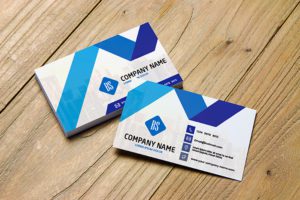
Services Business card design
 VECTOR SOURCE
Asset Overview & Description
Key Highlights & Fast Facts
- Tangible Representation: A well-designed business card serves as a vital tool for expertise, credibility, and professionalism in service industries.
- Clean Layouts: Minimalist designs with strategic whitespace emphasize clarity and make contact information stand out.
- Digital Integration: Incorporating QR codes and NFC technology bridges physical and digital networking effortlessly.
Crafting a professional services business card in the realm of professional services requires a well-designed tangible representation of your expertise, credibility, and professionalism. This comprehensive guide explores essential elements and creative strategies for crafting a professional services business card that commands attention, communicates your brand identity, and fosters meaningful connections with potential clients and partners.
Understanding the Importance of a Professional Services Business Card
Before delving into the design process, it is crucial to recognize the significance of a professional services business card in today’s competitive landscape. As a service provider, your business card serves as a vital tool for making memorable introductions, exchanging contact information, and solidifying professional relationships. A well-crafted business card not only communicates your expertise and credibility but also reflects the values and personality of your brand.

Key Elements of a Professional Services Business Card Design
- Clean and Minimalist Layout: Embrace a clean and minimalist layout that emphasizes simplicity, clarity, and professionalism. Keep the design uncluttered and focused, allowing essential elements such as your name, job title, and contact information to stand out prominently. Use whitespace strategically to create visual balance and enhance readability.
- Branding Elements: Incorporate consistent branding elements such as your company logo, colors, and fonts into the design of your business card. Ensure that your branding elements are displayed prominently and aligned with your overall brand identity. Use consistent typography and imagery to maintain coherence with your overall brand aesthetic.
- Legible Typography: Choose legible fonts and typography that are easy to read and reflect your brand’s personality and style. Opt for professional serif or sans-serif fonts for body text and headlines, avoiding decorative or overly stylized fonts that may compromise readability. Experiment with font sizes, weights, and styles to create hierarchy and emphasis.
- Functional Contact Information: Include essential contact information on your business card such as your name, job title, company name, phone number, email address, and website URL. Prioritize the most relevant and frequently used contact channels to streamline communication and encourage engagement. Consider adding QR codes or NFC technology for seamless digital connectivity and interaction.
- Creative Use of Imagery: Incorporate imagery or graphics that resonate with your industry niche or target audience. Choose visuals that convey professionalism, expertise, and trustworthiness. Consider using high-quality photographs, icons, or illustrations that reflect the services you offer and the values of your brand.
Always keep crucial text at least 3mm inside the trim line to ensure nothing gets cut off during the professional printing process, especially when utilizing heavy cardstock or embossing techniques.

Creative Strategies for Professional Services Business Card Design
| Design Strategy | Implementation Approach |
|---|---|
| Distinctive Color Palette | Muted tones, earthy hues, or shades of blue and gray for trust |
| Tactile Enhancements | Embossing and foil stamping for depth and elegance |
| Interactive Elements | QR codes linked to online portfolios and AR experiences |
| Social Proof | Client testimonials and case studies on the reverse side |
- Step 1: Define Your Layout
Set up a standard business card canvas with appropriate bleed lines and embrace minimalist design principles.

Photo by DΛVΞ GΛRCIΛ on Pexels - Step 2: Integrate Branding & Typography
Apply legible professional fonts alongside consistent corporate colors and vector logos.
- Step 3: Optimize the Backside
Utilize dual-sided design to showcase client endorsements, value propositions, or interactive QR codes.

Conclusion
Designing a professional services business card requires a thoughtful blend of creativity, strategy, and attention to detail. By embracing minimalist design principles, incorporating consistent branding elements, and leveraging creative strategies that enhance visual appeal and functionality, you can create a business card that makes a memorable impression and drives meaningful connections. Infuse your design with professionalism, reliability, and authenticity, making your business card a powerful representation of your expertise and commitment to excellence in the competitive landscape of professional services.
What information is essential on a professional services business card?
Essential contact information includes your name, job title, company name, phone number, email address, and website URL, prioritized for clean communication.
How can I make my business card stand out?
You can enhance visual appeal through tactile printing finishes like embossing, foil stamping, or by integrating interactive elements such as QR codes linking to your digital portfolio.
| File Formats | .AI (Adobe Illustrator), .EPS (Vector), .SVG, .PNG Preview |
|---|---|
| Resolution / Quality | Vector Scalable (Infinite Resolution) • 300 DPI Print Ready |
| Layer Organization | Fully Layered, Organized Groups, Editable Text & Vectors |
| Usage License | 100% Free Forever (Personal & Commercial Projects) |
| Compatibility | Adobe Illustrator, Photoshop, Figma, CorelDraw, Inkscape, Affinity Designer |