Very Best Slim business cards
 VECTOR SOURCE
Asset Overview & Description
In the world of networking and professional connections, first impressions matter. Slim business cards offer a modern and sophisticated way to introduce yourself and leave a lasting impression on potential clients, partners, and colleagues. In this guide, we explore the art of designing slim business cards that exude elegance, professionalism, and style, helping you stand out in a crowded marketplace.
Understanding the Anatomy of Best Slim Business Cards
When transitioning from standard 3.5″ x 2″ rectangles to a streamlined format, layout planning is critical. The reduced horizontal or vertical canvas forces a disciplined approach to information architecture. Every single millimeter must serve a distinct purpose, eliminating visual clutter and prioritizing high-impact typography and iconography.
What are the key facts about slim business cards?
- Modern Aesthetics: Slim cards provide a sleek, contemporary alternative to traditional formats.
- Portability: Lightweight and easy to carry in wallets, pockets, and cardholders.
- Memorability: Unique size and shape set them apart from standard cards to boost brand recall.
Why choose slim business cards?
How do slim business cards look modern?
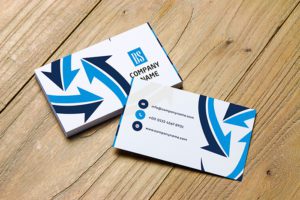
Explore how slim business cards offer a sleek and contemporary alternative to traditional business card sizes, reflecting a modern approach to networking and branding.
Photo by RDNE Stock project on Pexels
Are slim business cards easy to carry?
Discover the convenience of slim business cards, which are lightweight, portable, and easy to carry in wallets, pockets, and cardholders, ensuring they are always on hand when opportunities arise.
Do slim business cards help you stand out?
Learn how the unique size and shape of slim business cards set them apart from standard cards, making them more memorable and distinctive in the minds of recipients.
Technical Specifications & Vector Preparation
To ensure your files print flawlessly through GDGraphic templates or local print shops, proper technical setup in vector design software is essential. Below are the standard guidelines for setting up your print files:
| Feature | Specification |
|---|---|
| Standard Slim Dimensions | Typically 3.5″ x 1.5″ or 3.5″ x 1.75″ |
| Recommended File Formats | .AI, .EPS, .SVG, .PDF |
| Color Mode | CMYK (for print production) |
| Resolution | 300 DPI minimum |
Design Elements and Techniques for Maximum Impact
Minimalist Design
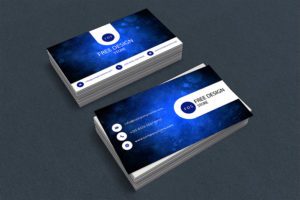
Embrace minimalist design principles to create clean and uncluttered layouts that maximize the impact of essential information and visual elements.
Photo by Mr. Mockup on Pexels
High-Quality Materials
Choose premium paper stocks and finishes such as matte or glossy coatings to enhance the tactile experience and perceived value of slim business cards.
Creative Typography
Experiment with innovative typography treatments, including custom fonts, lettering styles, and alignment options, to add personality and flair to your business card design.
Due to the narrower canvas of slim business cards, keep your font size no smaller than 8pt to ensure optimal legibility across all printed materials.
Practical Considerations and Best Practices
Essential Information
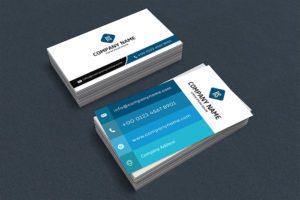
Prioritize key contact details including your name, job title, company name, phone number, email address, and website URL, ensuring they are legible and easy to read on the slim format.
Photo by Anna Tarazevich on Pexels
Branding Consistency
Maintain consistency with your brand’s visual identity, incorporating logo, colors, and branding elements to reinforce brand recognition and cohesion across all marketing materials.
Bleed and Margin
Pay attention to bleed and margin settings to ensure that design elements are accurately positioned and aligned during the printing process, avoiding any trimming or cropping issues.
Software Compatibility & Multi-Platform Workflows
Creating professional slim business cards requires mastering industry-standard design tools. Whether you prefer Adobe Illustrator for vector scaling, Adobe Photoshop for raster textures, Figma for collaborative web-to-print layouts, or CorelDraw for precision vector node editing, maintaining strict layer organization will save you hours during prepress checks. Always convert live text to outlines (curves) before exporting your press-ready PDF to prevent font substitution errors.
Creative Inspiration and Examples
Unique Shapes and Die-Cut Designs
Explore innovative shapes and die-cutting techniques to create slim business cards with distinctive edges and silhouettes that command attention and intrigue.
Photo by Atlantic Ambience on Pexels
Embossed and Foil Stamped Details
Add depth and texture to your slim business cards with embossed or foil-stamped accents, elevating the design with subtle yet impactful touches of luxury and sophistication.
Color Psychology and Mood
Consider the psychological impact of color choices on the perception and mood of recipients, selecting hues that align with your brand identity and communication objectives.
Printing and Production
Professional Printing Services
Partner with reputable printing vendors that specialize in producing high-quality slim business cards, ensuring accurate color reproduction and sharp image resolution.
Sustainable Options
Explore eco-friendly printing options, such as recycled paper stocks and soy-based inks, to minimize environmental impact and align with your brand’s sustainability values.
Quality Control and Proofing
Conduct thorough quality control checks and proofing processes to verify print accuracy and consistency before finalizing production, minimizing the risk of errors or discrepancies.
Conclusion
Slim business cards offer a sleek and sophisticated canvas for showcasing your professional identity and making memorable connections. By leveraging minimalist design principles, premium materials, and innovative techniques, you can create slim business cards that elevate your brand image and leave a lasting impression on everyone you meet. With attention to detail and a commitment to quality, slim business cards become powerful tools for networking success in today’s competitive business landscape.
Frequently Asked Questions
What are the standard dimensions for best slim business cards?
The standard dimensions typically measure 3.5″ x 1.5″ or 3.5″ x 1.75″, offering a sleek horizontal footprint that fits comfortably into modern cardholders and wallets.
What file format should I use when sending slim business cards to print?
It is best to export your designs as press-ready vector PDFs (.PDF) or native vector files (.AI, .EPS, .SVG) with 300 DPI resolution and CMYK color mode enabled.
Can I use standard business card holders with slim cards?
How do I prevent text from getting cut off during trimming?
Always maintain a safety margin of at least 0.125 inches inside the trim line and extend your background artwork to a 0.125-inch bleed area to account for mechanical shifts during trimming.
| File Formats | .AI (Adobe Illustrator), .EPS (Vector), .SVG, .PNG Preview |
|---|---|
| Resolution / Quality | Vector Scalable (Infinite Resolution) • 300 DPI Print Ready |
| Layer Organization | Fully Layered, Organized Groups, Editable Text & Vectors |
| Usage License | 100% Free Forever (Personal & Commercial Projects) |
| Compatibility | Adobe Illustrator, Photoshop, Figma, CorelDraw, Inkscape, Affinity Designer |