Business Card for Your Businesses
 VECTOR SOURCE
Asset Overview & Description
In the digital age where virtual communication dominates, the power of a physical business card remains unmatched. A well-designed business card serves as a tangible representation of your brand, leaving a lasting impression on potential clients and partners. It’s not just a piece of paper; it’s a reflection of your professionalism, creativity, and attention to detail. In this comprehensive guide, we’ll explore the key elements of designing an effective business card that truly embodies your business identity.
Key Highlights & Fast Facts
- Tangible Impact: Physical business cards build trust and provide instant, memorable touchpoints during networking.
- Brand Identity: Essential elements include clear logos, legible contact details, and deliberate typography.
- Tactile Quality: Paper stock, finish, and white space elevate the perceived value of your professional cards.
Understanding the Significance of Business Cards
Despite the rise of digital networking platforms, business cards continue to play a crucial role in establishing connections and fostering professional relationships. They serve as portable marketing tools, effortlessly conveying essential information about your business and services. A thoughtfully designed business card can spark conversation, instill confidence, and set the tone for future interactions.
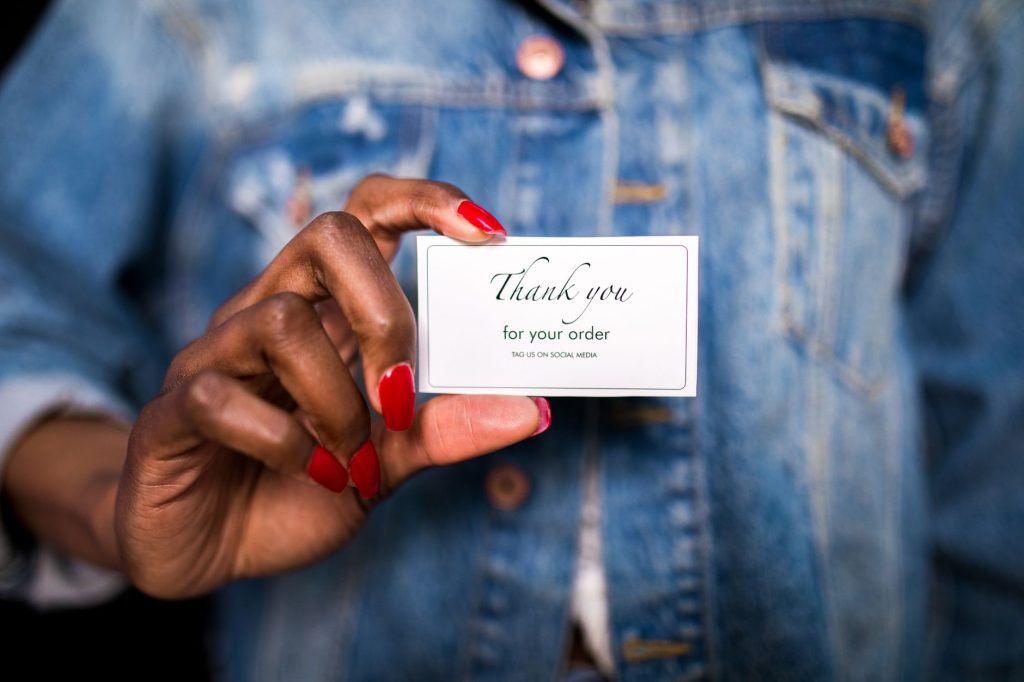
Key Elements of a Business Card
- Brand Identity and Logo: Your business card should prominently feature your logo as it is the visual representation of your brand identity. Ensure that the logo is clear, recognizable, and aligned with your brand’s aesthetic and values.
- Contact Information: Include essential contact details such as your name, job title, phone number, email address, and physical address (if applicable). Make sure the text is legible and easy to read using a font size that is neither too small nor too large.
- Visual Design: Choose a design that reflects the personality and values of your business. Whether it’s sleek and minimalist or bold and vibrant, ensure that it resonates with your target audience. Consider using colors that align with your brand palette and evoke the desired emotions and associations.
- Paper Stock and Texture: The choice of paper stock and texture can significantly impact the look and feel of your business card. Opt for high-quality cardstock with a finish that complements your design, whether it’s matte, glossy, or textured.
- Typography: Select fonts that are professional, legible, and consistent with your brand’s typography guidelines. Experiment with font styles, sizes, and weights to create hierarchy and visual interest.
- White Space: Incorporate sufficient white space to prevent the card from feeling cluttered or overwhelming. Strategic use of white space can enhance readability and draw attention to key elements of the card.
- Unique Selling Proposition (USP): Consider including a brief tagline or USP that succinctly communicates what sets your business apart from the competition. Highlighting your unique value proposition can pique curiosity and encourage further engagement.
- Visual Elements: Integrate visual elements such as icons, illustrations, or patterns that complement your brand’s aesthetic and narrative. These elements can help reinforce brand recognition and create a memorable impression.
- Social Media and Website Links: In addition to traditional contact information, consider including links to your website and social media profiles. This allows recipients to learn more about your business and connect with you on various online platforms.
- Print Quality: Pay attention to print quality to ensure that colors are accurately reproduced and text is sharp and clear. Work with a reputable printing company or invest in high-quality printing equipment for professional results.
| Design Element | Best Practice / Specification |
|---|---|
| Standard Dimensions | 3.5 x 2 inches (US) or 85 x 55 mm (EU) |
| Color Mode | CMYK for print production (300 DPI resolution) |
| Safe Zone | Keep all critical text and logos at least 0.125 inches inside the trim edge |
| Recommended Formats | .AI, .EPS, .PDF, or high-res vector files |
Designing Your Business Card
When designing your business card, it’s essential to strike a balance between creativity and functionality. Here are some steps to guide you through the design process:

- Define Your Objectives
Clarify the purpose of your business card and the message you want to convey to your target audience. Identify your target demographic and tailor the design to appeal to their preferences and expectations.
- Research and Inspiration
Gather inspiration from existing business card designs both within and outside your industry. Analyze what works well and consider how you can incorporate elements of successful designs into your own.
- Sketch and Brainstorm
Sketch out rough ideas and layouts before diving into digital design software. Experiment with different arrangements, color schemes, and visual elements to find a design that resonates with your vision.
- Digital Design
Use professional design software such as Adobe Illustrator, InDesign, or free tools on GD Graphic to create your business card. Ensure that the dimensions and resolution are appropriate for printing to avoid any issues during the production process.
- Seek Feedback
Once you have a preliminary design, seek feedback from colleagues, friends, or design professionals. Consider their input and suggestions for refinement and improvement.
- Finalize and Print
Make any necessary adjustments based on feedback and finalize the design. Choose a reputable printing company or print shop to produce your business cards, ensuring high-quality results.
- Review and Iterate
Review the printed samples carefully for any errors or inconsistencies. If necessary, iterate on the design based on real-world feedback and observations.
Always export your print-ready business card files with a 0.125-inch bleed area added to all sides. This prevents unwanted white borders from appearing around your cards if the cutting blade shifts slightly during professional printing.
The Role of Business Cards in Networking and Brand Building
Business cards serve as valuable networking tools, facilitating connections and conversations in both formal and informal settings. They provide a tangible point of contact for potential clients, partners, and collaborators, making it easier to follow up and stay connected. Furthermore, business cards contribute to brand building by reinforcing brand identity and awareness. A well-designed business card communicates professionalism, attention to detail, and a commitment to quality, enhancing the overall perception of your brand in the minds of recipients.

In conclusion, a meticulously designed business card is more than just a piece of paper; it’s a representation of your business identity and values. By incorporating key design elements, thoughtful typography, and visual elements that align with your brand aesthetic, you can create a business card that leaves a lasting impression and sets the stage for meaningful connections and opportunities.
What standard size should a business card be?
The standard size is 3.5 x 2 inches in North America and 85 x 55 mm in Europe and parts of the UK. Always include a bleed margin of 0.125 inches for printing.
Should I use a matte or glossy finish?
Matte finishes offer an elegant, modern, and easy-to-read surface that is great for writing notes on the back. Glossy finishes make colors pop and stand out, ideal for photography or vibrant branding.
What information is most important on a business card?
Your name, job title, company logo, phone number, email address, and website URL are essential. You can also include social media handles or a brief unique selling proposition (USP).
| File Formats | .AI (Adobe Illustrator), .EPS (Vector), .SVG, .PNG Preview |
|---|---|
| Resolution / Quality | Vector Scalable (Infinite Resolution) • 300 DPI Print Ready |
| Layer Organization | Fully Layered, Organized Groups, Editable Text & Vectors |
| Commercial License | 100% Free Forever (Personal & Commercial) |
| Compatibility | Adobe Illustrator, Photoshop, Figma, CorelDraw, Inkscape, Affinity Designer |


