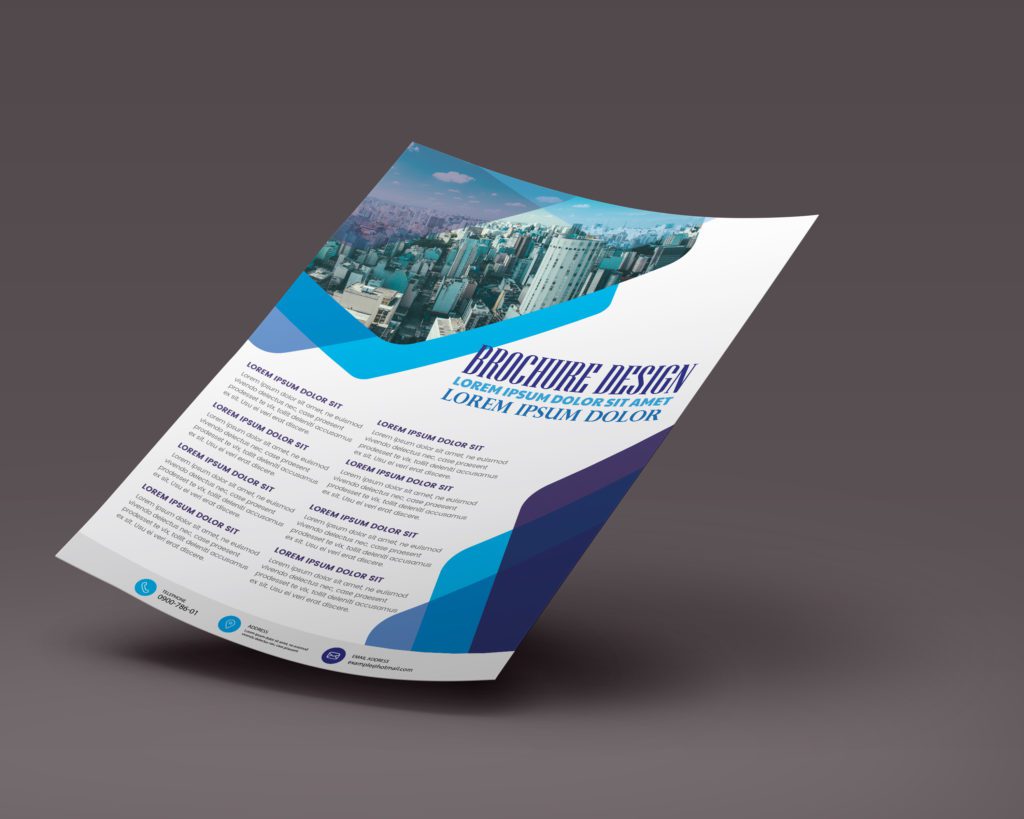
Business Helpful Flyer Design
 VECTOR SOURCE
Asset Overview & Description
Key Highlights & Fast Facts
- Audience Clarity: Define target demographics, interests, and desired user actions before starting layout work.
- Value-First Approach: Solve audience pain points, offer actionable tips, and position your brand as a helpful resource.
- Visual Hierarchy: Use clean layouts, strategic whitespace, and consistent branding to maximize readability.
- Compelling CTA: Include clear contact options, persuasive language, and urgency-driven incentives.
Designing a business helpful flyer serves as a valuable tool to inform, engage, and assist your target audience, whether they are existing clients, potential customers, or stakeholders. A well-designed flyer can provide valuable information, highlight key offerings, and encourage action, ultimately helping to build relationships and drive business growth. In this guide, we’ll explore tips and best practices for creating a business helpful flyer that effectively communicates your message and resonates with your audience.
How do you identify your audience for a business helpful flyer?
Before you start designing your business helpful flyer, it’s essential to understand your target audience and define your objectives clearly. Consider the following questions:

- Who is your target audience for the flyer?
- What are their demographics, interests, and preferences?
- What specific message or information do you want to convey through the flyer?
- What action do you want your audience to take after reading the flyer? (e.g. visit your website, contact your business, attend an event)
Understanding your audience and objectives will guide the content, tone, and design of your flyer.
How can you provide value in a business helpful flyer?
The primary goal of a business helpful flyer is to provide value to your audience by offering useful information, insights, or solutions to their needs or challenges. Consider the following strategies:

- Address Pain Points
Tackle common problems or questions that your audience may have related to your industry, products, or services.
- Share Expertise
Offer tips, advice, or best practices that can help your audience solve problems or achieve their goals.
- Leverage Insights
Share relevant industry trends, research findings, or case studies that demonstrate your expertise and provide valuable insights.
- Provide Actionable Steps
Offer clear resources that your audience can use to take their next steps or learn more about your offerings.
By focusing on providing value, you can establish trust and credibility with your audience and position your business as a helpful resource.
How do you design a clean business helpful flyer?
The design of your business helpful flyer should be clean, professional, and visually appealing to capture and maintain the audience’s attention. Consider the following design principles:

- Use a clear and concise layout that organizes information logically and guides the reader through the content.
- Incorporate eye-catching visuals such as images, icons, or graphics that enhance understanding and reinforce key points.
- Choose a consistent color scheme and typography that aligns with your brand identity and creates visual harmony.
- Use whitespace strategically to create balance, improve readability, and draw attention to important elements.
A well-designed flyer enhances the overall user experience and makes the content more accessible and engaging to your audience.
| Design Element | Best Practice |
|---|---|
| Layout | Clean, logical, and structured with strategic whitespace |
| Typography | Consistent brand fonts with clear headlines and subheadings |
| Visuals | Relevant icons, graphics, or imagery to reinforce key points |
| Color Scheme | Harmonious palette aligned with brand identity |
How do you write clear messaging for a business helpful flyer?
The messaging on your business helpful flyer should be clear, concise, and easy to understand. Consider the following tips:

- Use headlines and subheadings to break up content and highlight key points or takeaways.
- Write in a conversational tone that resonates with your audience and encourages engagement.
- Keep paragraphs and sentences short and to the point, avoiding jargon or technical language that may confuse readers.
- Use bullet points or numbered lists to organize information and make it easier to scan and digest.
By focusing on clear and concise messaging, you can ensure that your audience understands the information presented and finds value in your flyer.
Always test your flyer layout at a smaller scale or thumbnail view. If the primary headline and call-to-action do not immediately stand out within three seconds, simplify your text and increase your whitespace.
Include A Compelling Call-To-Action (CTA)
Every effective business helpful flyer should include a clear and compelling call-to-action that prompts the reader to take the next step. Consider the following tips:
- Clearly articulate the desired action you want the reader to take, whether it’s visiting your website, downloading a resource, or contacting your business.
- Use persuasive language that motivates the reader to act, emphasizing the benefits or value of taking the specified action.
- Provide multiple contact options such as phone numbers, email addresses, or website URLs to accommodate different preferences.
- Consider offering a special incentive or limited-time offer to encourage immediate action and create a sense of urgency.
A strong call-to-action encourages engagement and helps guide readers towards the desired outcome.
Conclusion
Designing a business helpful flyer requires careful planning, strategic messaging, and thoughtful design considerations. By identifying your audience and objectives, focusing on providing value, keeping the design clean and engaging, focusing on clear and concise messaging, and including a compelling call-to-action, you can create a flyer that effectively communicates your message, resonates with your audience, and drives action. With a well-executed flyer, you can establish your business as a helpful resource, build relationships with your audience, and drive business growth.
| File Formats | .AI (Adobe Illustrator), .EPS (Vector), .SVG, .PNG Preview |
|---|---|
| Resolution / Quality | Vector Scalable (Infinite Resolution) • 300 DPI Print Ready |
| Layer Organization | Fully Layered, Organized Groups, Editable Text & Vectors |
| Commercial License | 100% Free Forever (Personal & Commercial) |
| Compatibility | Adobe Illustrator, Photoshop, Figma, CorelDraw, Inkscape, Affinity Designer |