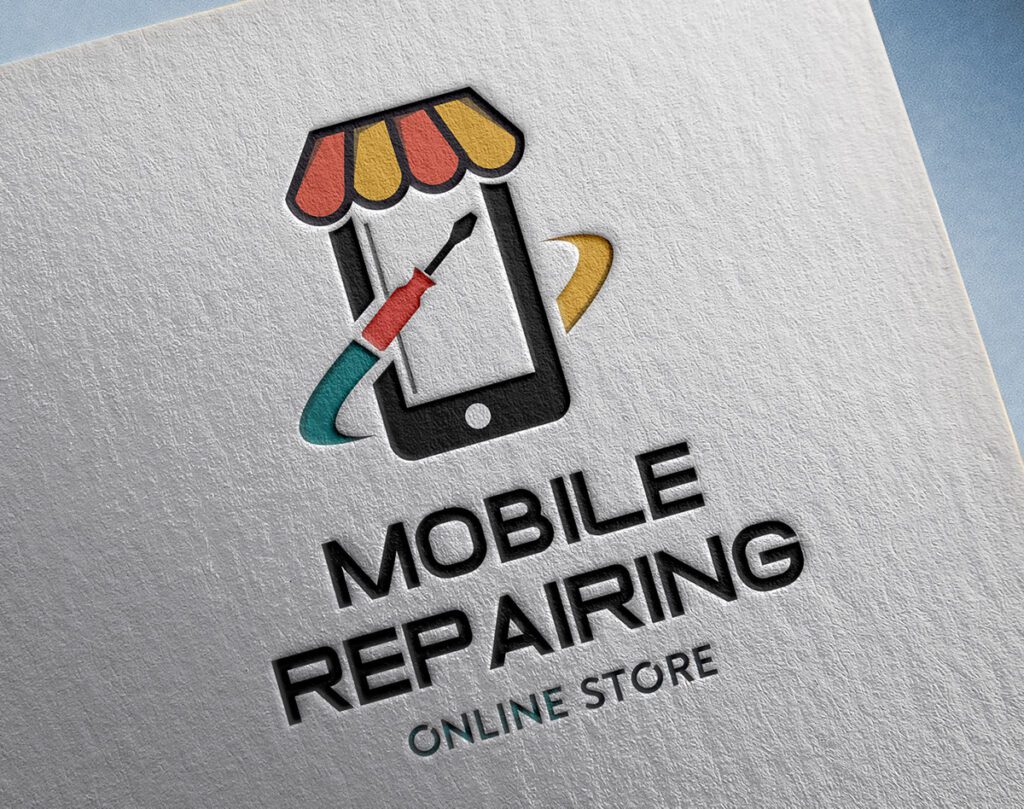
Mobile Repairing Shop Logo Design
 VECTOR SOURCE
Asset Overview & Description
Where to download a free mobile repairing shop logo? In today’s digital age, mobile phones have become indispensable tools for communication, entertainment, and productivity. With the increasing reliance on mobile devices, the demand for reliable mobile repairing services has surged. As a mobile repairing shop owner, establishing a strong brand identity is crucial for attracting customers and fostering trust. One of the foundational elements of brand identity is a well-designed logo. In this guide, we’ll explore the process of creating a memorable logo for your mobile repairing shop, offering expert insights, practical tips, and free downloadable resources to help you craft a logo that sets your business apart.
Key Highlights & Fast Facts
- Brand Trust: A sharp, professional logo builds instant psychological comfort for customers seeking emergency tech repairs.
- Scalability: Designing with vector formats ensures crisp signage on storefronts and clear scaling on tiny warranty seals.
- Core Elements: Balance simplicity, bold sans-serif typography, and relevant iconography like smartphones, lightning bolts, or gears.
As competition intensifies in local tech repair markets, standing out requires more than just fixing cracked screens or replacing batteries quickly. It requires an immediate visual cue that communicates precision, speed, and trustworthiness. Your storefront signage, business cards, social media profiles, and invoice headers all rely on this single graphical asset. By leveraging professional design principles and scalable vector graphics, even independent technicians and startup repair shops can project an established, enterprise-grade corporate identity without breaking the bank.
Why is a logo important for your mobile repairing shop?
Examine the significance of logos in brand identity and recognition. Understand how a well-designed logo can convey professionalism, reliability, and expertise to potential customers. Consumers seeking emergency repair services for their smartphones are often stressed and in a hurry. When they search online or drive down a commercial strip, their eyes gravitate toward clean, easy-to-read, and professional signage. A haphazardly designed emblem signals carelessness, whereas a sharp, purposeful logo builds instant psychological comfort. It tells the customer that your technicians handle delicate micro-soldering, intricate circuit boards, and premium hardware replacements with meticulous care.
Elements of an effective logo
Explore the key components of a successful logo, including typography, colors, symbols, and layout. Learn how each element contributes to the overall impact and message of the logo. An exceptional tech repair logo balances simplicity with thematic relevance. Overcomplicating a design with too many circuit lines or unreadable fonts ruins scalability, making the logo unrecognizable when printed tiny on a smartphone sticker or viewed from a distance on a storefront awning.
Core Visual Components
- Iconography: Clean abstractions of mobile phones, lightning bolts for rapid charging/repair, gears representing mechanical precision, or wrenches integrated smoothly with smartphone silhouettes.
- Typography: Bold, modern sans-serif fonts that communicate technological prowess, stability, and clean engineering.
- Color Palette: Trust-building blues, energetic electric greens, or sleek charcoal grays paired with high-contrast accent tones.
How do I design a mobile repairing shop logo?
Begin the logo design process by conducting research and gathering inspiration. Analyze logos from similar businesses and identify design elements that resonate with your brand identity. Before launching any vector software, take time to study what top electronics brands and franchise repair chains are doing. Notice how they avoid visual clutter while keeping their core service obvious at a glance. Gather mood boards containing color palettes, font pairings, and geometric layouts that appeal directly to smartphone owners of all demographics.
- Step 1: Sketching and Conceptualization
Translate your ideas into rough sketches exploring different concepts and visual representations. Experiment with shapes, symbols, and typography to find a design that reflects your shop’s values and services. Put pencil to paper and draw at least twenty distinct thumbnail variations.
- Step 2: Digital Design Tools and Software
Learn how to use digital design tools and software such as Adobe Illustrator, Canva, or Inkscape to create professional-quality logos. Follow step-by-step tutorials and best practices for designing and refining your logo digitally.
- Step 3: Technical Vector Preparation
Prepare your files correctly for print and web to ensure your mobile repairing shop logo looks immaculate across all marketing mediums.
Always test your logo design in solid black and white before adding color. If the emblem loses its recognizability or shape definition without color, the core silhouette needs simplification.
| Feature | Specification |
|---|---|
| File Formats | .AI, .EPS, .SVG, .PNG |
| Color Modes | CMYK (Print), RGB (Digital & Web) |
| Scalability | Infinite vector scaling without pixelation |
| Layer Setup | Separated text, graphics, and background layers |
What free resources help with mobile repairing shop logos?
Online asset generators provide instant customization capabilities. By swapping out generic placeholder text for your shop’s name and modifying color palettes to match your interior storefront paint, you can produce a viable brand mark in minutes.
- Online Logo Makers: Discover online logo maker platforms that offer free tools and templates for designing logos. Explore their features and customization options to create a unique logo for your mobile repairing shop.
- Vector Graphics Libraries: Access free vector graphics libraries containing icons, symbols, and illustrations related to mobile phones and repairing services. Use these resources to enhance your logo with high-quality graphic elements.
- Creative Commons Image Repositories: Explore creative commons image repositories where you can find free-to-use photographs and artwork for your logo design. Ensure proper attribution and usage rights when incorporating these images into your logo.
Case studies and inspiration analysis of mobile repairing shop logos
Examine examples of logos from successful mobile repairing shops analyzing their design choices and branding strategies. Draw inspiration from their approaches to logo design. Market leaders in device repair typically avoid complex illustrations, opting instead for minimalist wordmarks paired with a sharp, memorable icon. For example, a shop named “FixMyPhone” might use a bold sans-serif font where the letter ‘i’ is replaced by a stylized screwdriver or glowing charging line. Analyzing these industry triumphs highlights the power of simplicity and memorability over chaotic design.
User-Generated Logo Showcase
Encourage shop owners and designers to share their logo designs created using the guide’s resources. Showcase standout submissions and provide feedback to foster creativity and collaboration. Community feedback is an invaluable phase of the design journey. Showcasing early drafts to peers, fellow small business owners, and regular smartphone users helps catch awkward kerning, illegible symbols, or unintended optical quirks.
Where can I download a free mobile repairing shop logo?
You can use free vector repositories, online design tools like Canva, or free templates provided on design asset platforms to customize and download a mobile repair logo.
What file formats do I need for my shop logo?
You should secure vector formats like .SVG, .EPS, or .AI for scaling and printing, along with high-resolution .PNG files for transparent digital use.
Should my logo include a realistic picture of a phone?
It is generally best to avoid overly detailed photographs. Instead, use clean, minimalist iconography like device outlines, gears, or lightning symbols for better scalability.
| File Formats | .AI (Adobe Illustrator), .EPS (Vector), .SVG, .PNG Preview |
|---|---|
| Resolution / Quality | Vector Scalable (Infinite Resolution) • 300 DPI Print Ready |
| Layer Organization | Fully Layered, Organized Groups, Editable Text & Vectors |
| Commercial License | 100% Free Forever (Personal & Commercial) |
| Compatibility | Adobe Illustrator, Photoshop, Figma, CorelDraw, Inkscape, Affinity Designer |